
Sounds
The Sounds section is your layout's audio library -- upload horn blasts, bells, ambient loops, and station announcements once, then play them from the Cloud app or trigger them from any Throttle. The library is global to your account: every layout you manage sees the same files.
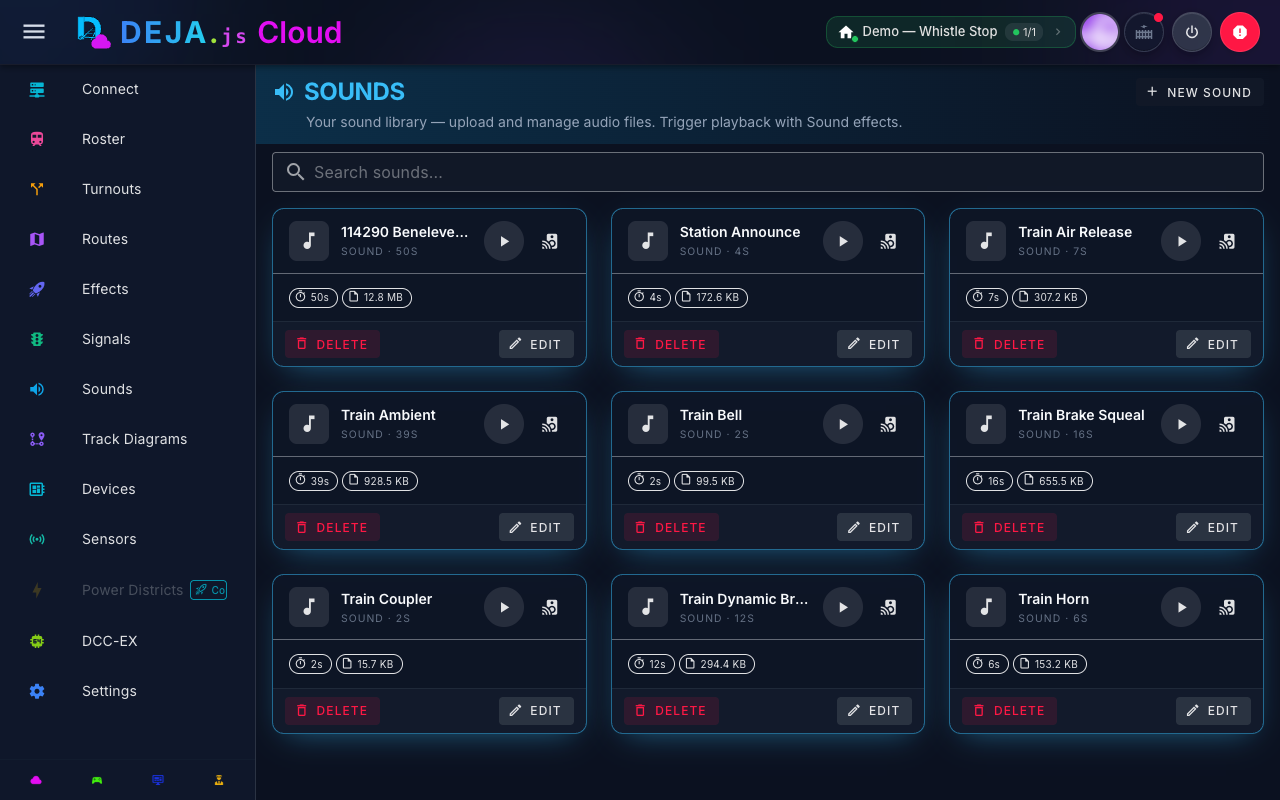
Sound Library
The main Sounds view (/sounds) lists your uploaded audio files grouped by category (derived from the file's folder, e.g. sounds/horns/, sounds/ambient/). For each file you can:
- Preview -- The play/stop button previews the file directly in your browser to check it before using it on the layout.
- Play on layout -- The cast icon button pushes the file to your running DEJA Server so it plays through the server's speakers, using the same command queue the Throttle app uses. This replaces the older effect-based test flow -- there's no need to create an effect just to hear a file on the layout.
- Delete -- Remove a file from the library. This does not affect anything already playing.
Uploading Sounds
Click Upload to add a new file to the library. Organize uploads into folders (categories) so they group sensibly in the library and on the Throttle app's Sounds tab.
Playback Elsewhere
Once uploaded, a sound is immediately playable from:
- Throttle app -- The Effects page's Sounds tab lists the whole library, grouped by category, with tap-to-play and a stop-all control.
- Speed dial -- Default software sound buttons on the throttle's function speed dial play directly from the library.
Playback is instant -- there's no "sound effect" to create first. Tap play and the server plays (or stops) the audio right away.
Related Pages
- Effects Management -- Pin-toggle effects (lights, LEDs, relays, and more).
- Devices -- WLED scenes, another kind of layout ambiance configured per device.