
Guide
DEJA.js CloudDEJA.jsCloud

Your layout's command center — manage your roster, configure every turnout, effect, signal, and route, then control it all from any device.

Video walkthrough coming soon

Make sure you've completed the Getting Started guide — your server should be running and your EX-CommandStation connected.

Dashboard

Your home base. The dashboard shows device connection status, command activity, layout info, and a QR code to launch Throttle on your phone.

🔌Device connection list with live status indicators
📊Command activity chart showing recent traffic
🏷️Layout info card with name, server IP, and port
📱QR code to open Throttle on any device
Cloud dashboard

Add a Device

Connect your DCC-EX EX-CommandStation or other hardware. Navigate to Devices, add a new device, and select the serial port.

🖥️Support for DCC-EX, microcontrollers, and serial devices
🔌Auto-detect available serial ports
🟢Real-time connection status with reconnect
🔄Drag-to-reorder devices in priority order
Cloud device management

Add a Locomotive

Tap the add button, then either snap a photo and let ✨ AI Enrich fill in the details, or enter a DCC address and name yourself — your loco is ready to drive either way.
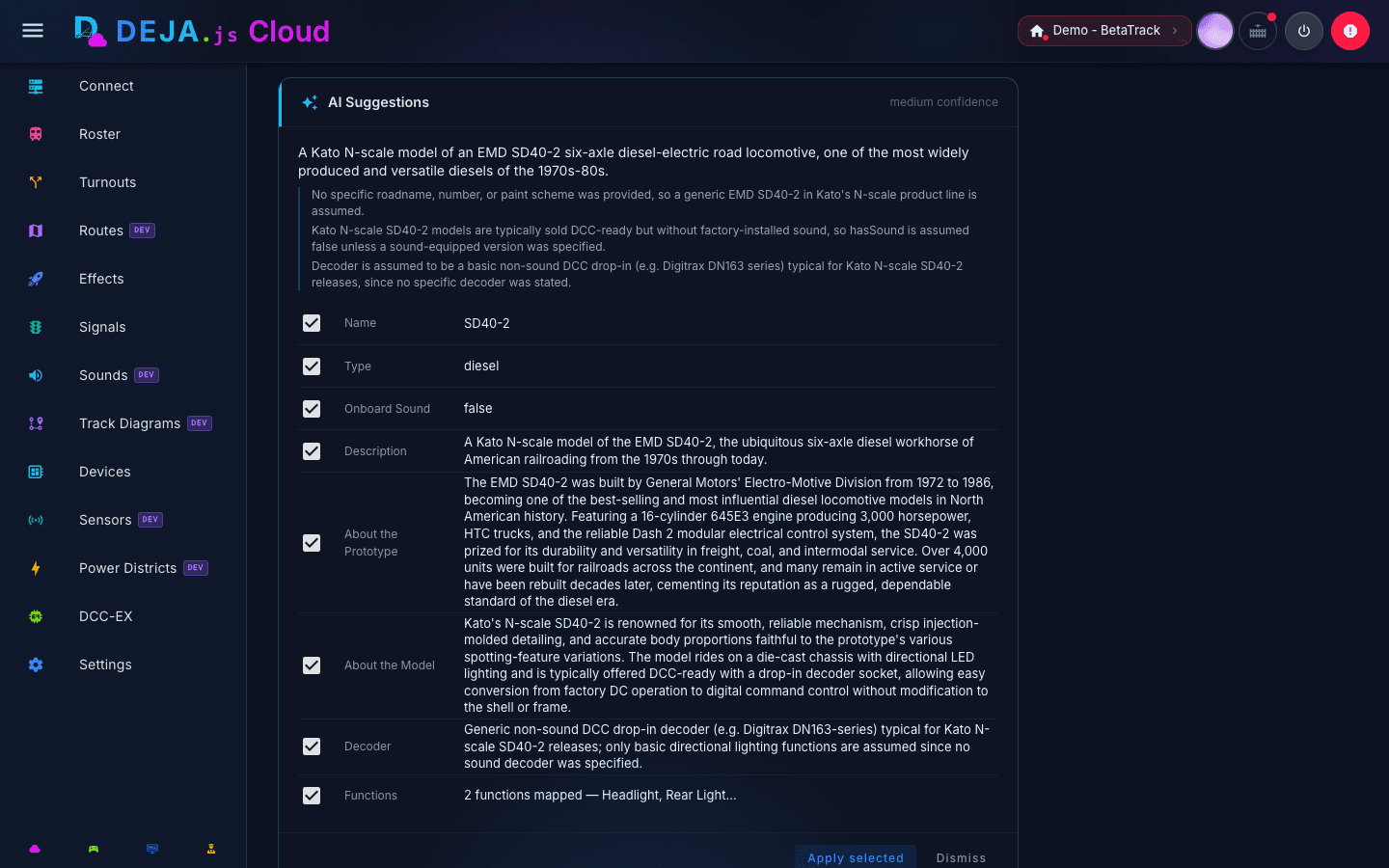
📷Upload a photo or paste an image URL
🤖AI Enrich suggests address, name, roadname, and more — you approve each field
🔢DCC address (1–9999) — 2 or 4-digit
🏷️Name and road name with color coding, searchable across 77 roads
🎛️Configure decoder functions F0–F31 with labels and icons
🚂Build multi-unit consists with direction and trim
AI-assisted locomotive enrichment

Configure a Turnout

Define each switch on your layout. Set the name, DCC index, straight and divergent positions, and assign it to a device.
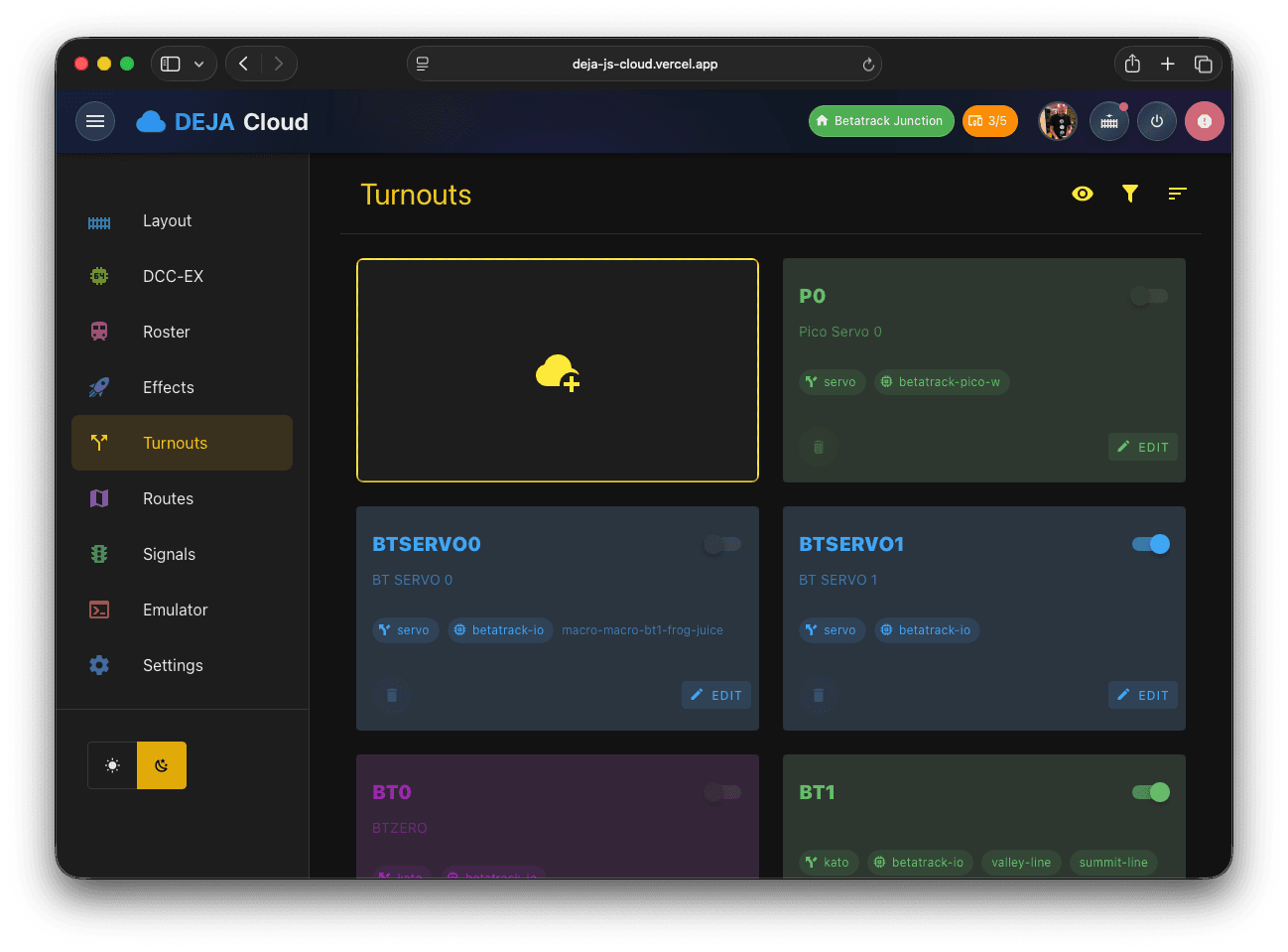
🔀Name, index, and straight/divergent position values
⚙️Type: Kato, Servo, Tortoise, or DCC
🔗Assign to a device and optionally link an effect
🏷️Organize with color coding and tags
Cloud turnout configuration

Add an Effect

Bring your layout to life with lights, LEDs, and relays. Choose an effect type, assign a device and pin, and it's ready to trigger.
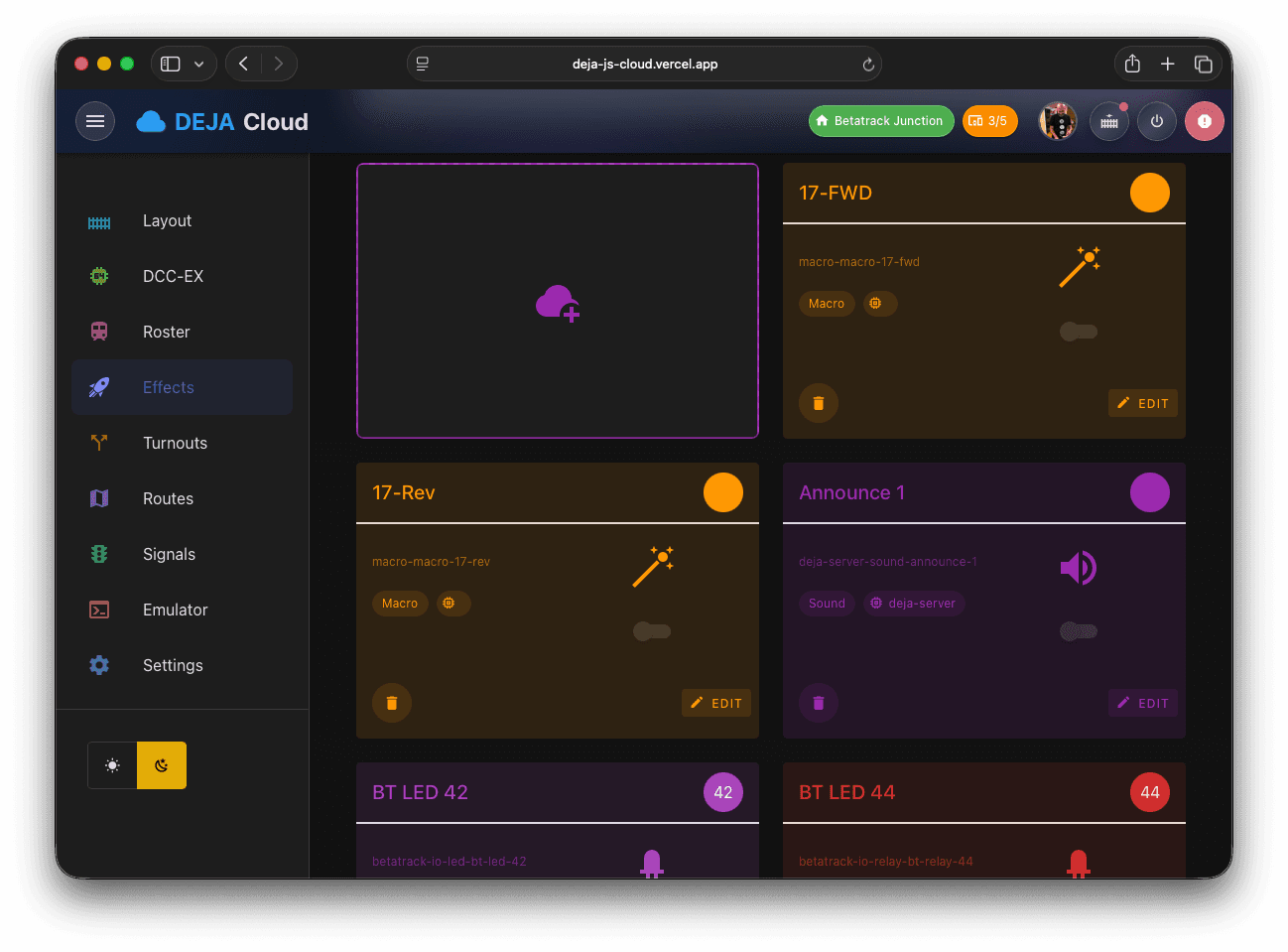
💡7 types: Light, LED, Street Light, Relay, Frog Juicer, Power, PIN
🔗Assign to a device and GPIO pin
👤Mark effects as guest-accessible for visitors
Cloud effects management

DCC-EX Console

Send commands directly to your EX-CommandStation. The built-in console shows real-time output, quick-access buttons for common operations, and a cheat sheet for the full command set.

📺LCD terminal with live DCC-EX output stream
🎛️Quick-access grid for power, stop, reset, and more
📖Built-in command cheat sheet with syntax examples
🔌Connection status and DCC-EX version display
DCC-EX console
Feature Reference

Everything in Cloud

Beyond the basics, Cloud gives you full control over every aspect of your layout. Configure it here, control it from Throttle.

Connect

Bridge to your EX-CommandStation

Manage connectivity between DEJA Cloud and your DCC-EX hardware. Select devices, choose serial ports, and monitor connection health in real time.

Connect desktop view
🔌Connect and disconnect devices with one tap
📡WebSocket bridge to your local DEJA Server
🟢Live connection health indicators
🔄Automatic reconnect on connection loss